
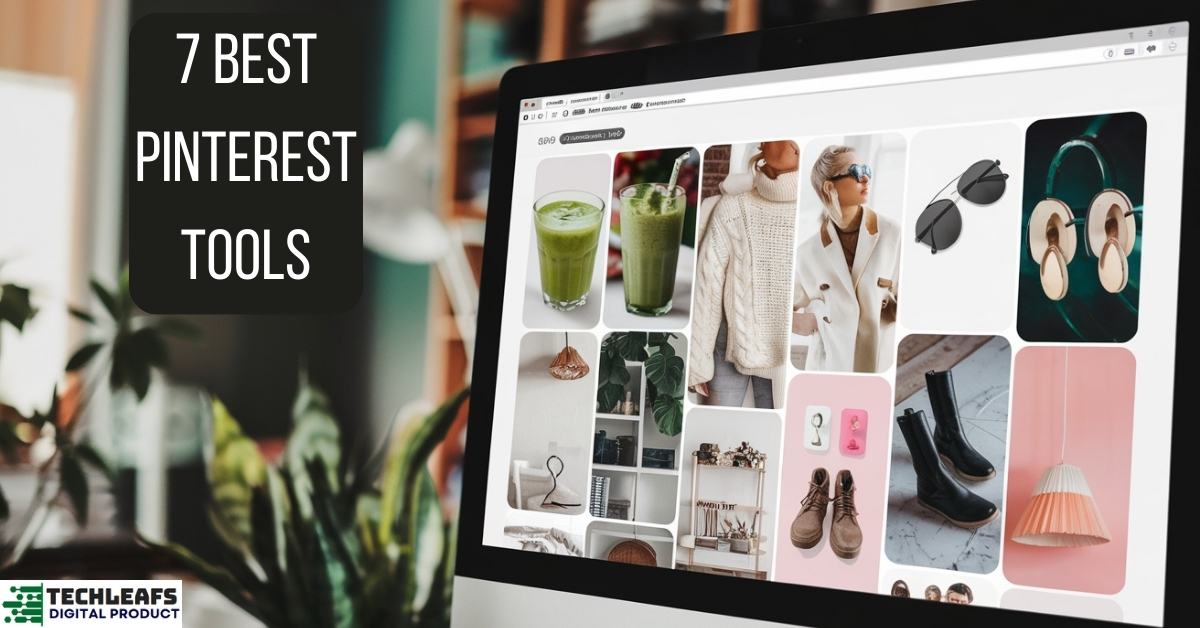
Pinterest is a powerful platform for driving traffic and engagement. But managing Pinterest manually can be time-consuming.
Pinterest automation tools can save you time and increase your productivity. These tools help schedule pins, analyze performance, and boost your Pinterest strategy. With the right tool, you can focus on creating great content while the automation handles the rest.
In this post, we’ll explore the six best Pinterest automation tools. These tools can streamline your Pinterest efforts and help you achieve better results. Ready to make Pinterest management easier? Let’s dive in and discover the top tools that can transform your Pinterest strategy.
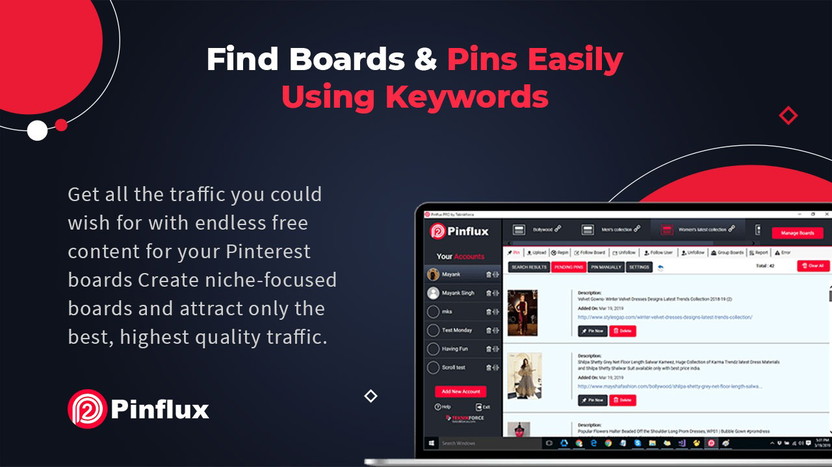
Credit: appsumo.com
How to Choose the Right Pinterest Tool for You
Now that we’ve looked at the 7 best Pinterest tools in 2025, it’s important to know how to choose the right one for your needs. Here are a few tips to help you decide:
Functionality: Think about the features you need. For example, if you want to automate your Pinterest posts, Tailwind or Buffer are ideal. If you need to track performance, Pinterest Analytics and Pin Inspector will give you the insights you need.
Consider Your Goals: What do you want to achieve with Pinterest? If your goal is to create beautiful designs, tools like Content Goblin, PinClicks, and Post Planner will help. If you’re looking to track performance and optimize your strategy, tools like Tailwind, Pinterest Analytics, and Pin Inspector are a better fit.
Ease of Use: Some tools are more user-friendly than others. If you’re just getting started with Pinterest, it’s best to choose a tool that’s easy to learn, like Content Goblin or PinClicks.
Budget: Many tools offer both free and paid versions. Consider what you can afford, and choose a tool that fits your budget. Tools like Tailwind, Tailwind, and Post planner have great free plans, but you may need the paid version for advanced features.
Benefits Of Using Automation Tools
Using Pinterest automation tools offers several benefits:
- Audience Growth: Regular posting attracts more followers. Automation tools ensure your content reaches a wider audience.
- Increase Engagement: Scheduled pins keep your audience engaged. Engaged followers interact more with your content.
- Social Media Automation: These tools can manage multiple social media accounts. This means you can integrate your Pinterest strategy with other platforms.
- Better Content Management: Automation tools help organize your pins. This makes it easier to find and share content.
- Analytics and Insights: Detailed analytics help understand your audience better. You can adjust your strategy based on these insights.
- Scheduling Pins: Automation tools allow you to schedule pins for optimal times. This ensures your pins get maximum visibility.
These benefits make automation tools a must-have for anyone serious about Pinterest marketing. They simplify the process and enhance your overall strategy.
Credit: newsroom.pinterest.com
Key Features To Look For
Introduction paragraph about 7 Best Pinterest Automation Tool and Key Features to Look For…
Scheduling Pins
Effective Pin Management Tools should offer robust scheduling capabilities. This feature allows users to plan and post content at optimal times. A good scheduling tool helps in maintaining a consistent posting schedule, which is crucial for Pinterest Growth Strategies.
Look for tools that offer:
- Bulk Uploads: Upload and schedule multiple pins at once, saving time.
- Calendar View: Visualize your content schedule for better planning.
- Time Zone Adjustments: Schedule pins according to different time zones.
- Queue Management: Easily rearrange and manage queued content.
A table comparing top scheduling features can be useful:
| Feature | Tool A | Tool B | Tool C |
|---|---|---|---|
| Bulk Uploads | Yes | No | Yes |
| Calendar View | Yes | Yes | No |
| Time Zone Adjustments | No | Yes | Yes |
| Queue Management | Yes | Yes | No |
Using a tool with these features can enhance your Visual Content Strategy and streamline Social Media Scheduling efforts. This ensures your pins reach the audience at the right time, leading to better engagement and growth.
Analytics And Reporting
An essential feature of any Social Media Automation tool is comprehensive analytics and reporting. Understanding how your pins perform helps in refining your Pinterest Marketing efforts. Good analytics provide insights into what works and what doesn’t.
Key analytics features to look for:
- Engagement Tracking: Monitor likes, shares, and comments on your pins.
- Follower Growth: Track the increase or decrease in followers over time.
- Traffic Sources: Identify where your traffic is coming from.
- Top Performing Pins: See which pins are driving the most engagement.
Here’s a comparison table for analytics features:
| Feature | Tool A | Tool B | Tool C |
|---|---|---|---|
| Engagement Tracking | Yes | Yes | No |
| Follower Growth | Yes | No | Yes |
| Traffic Sources | No | Yes | Yes |
| Top Performing Pins | Yes | Yes | No |
Utilizing Pinterest Analytics within your tool can significantly enhance your Digital Marketing Tools arsenal. It helps refine your Content Scheduling and Visual Content Strategy, leading to a more effective Pinterest Marketing approach.
1. Content Goblin
If you are creating blog posts or listicles for Pinterest, Content Goblin is the tool for you. It helps you generate well-formatted articles with relevant images in just seconds. This tool is perfect for bloggers or businesses that need to produce high-quality Pinterest content quickly.
Key Features:
- Listicle Creator: Generate complete listicle-style articles with text and images.
- Smart Image Pairing: Automatically matches images with your content.
- WordPress Integration: Export your content directly to WordPress, saving time.
Why Content Goblin?
Creating Pinterest content takes time, especially when writing articles and finding matching images. Content Goblin simplifies this process, letting you focus on strategy rather than manual tasks. With plans starting at $29/month, it is a cost-effective way to scale your Pinterest content.
Tool #2: Pin Inspector
-
Pin Inspector is an advanced Pinterest tool that helps you analyze your pins’ performance and discover which types of content are most successful. If you want to improve your Pinterest strategy, this tool is a must-have.
Key Features:
- Performance Tracking: Pin Inspector allows you to track individual pin performance, so you can see which pins are driving the most traffic.
- Keyword Search: It helps you discover trending keywords and tags on Pinterest, allowing you to optimize your pins.
- Competitor Research: You can also analyze your competitors’ pins and boards to find what is working for them.
Why Pin Inspector?
This tool is perfect for marketers who want to dive deep into analytics and discover hidden opportunities. With its detailed performance tracking and keyword research features, Pin Inspector makes it easier to refine your Pinterest marketing strategy
Tool#3:PinClicks
PinClicks is a data-driven tool designed to help you grow your Pinterest account. It offers insights into trending topics, high-performing keywords, and user engagement, allowing you to refine your strategy.
Key Features:
- Keyword Research: Discover keywords that will boost your pins’ visibility.
- Interest Explorer: Explore trending topics to create relevant content.
- Performance Tracking: Analyze your pins and learn what works best.
Why PinClicks?
PinClicks is ideal for marketers focused on data and analytics. Its advanced insights make it easier to create successful Pinterest campaigns. The tool starts at $29/month and offers premium.
Tool #4: Tailwind
Main Features
Tailwind stands out as a leading Pinterest Automation tool due to its robust features. It helps streamline your Pinterest marketing efforts and improve user engagement.
Key features include:
- Automated Pinning: Schedule pins in advance, ensuring consistent activity.
- SmartLoop: Recycle your best content effortlessly, keeping your board active.
- Tailwind Tribes: Collaborate with other pinners to expand your reach.
- Analytics For Pinterest: Gain insights into your performance, helping refine your strategy.
- Hashtag Finder: Discover trending hashtags to optimize your posts.
- Bulk Uploads: Save time by uploading multiple pins at once.
- Board Lists: Organize your boards efficiently for easy scheduling.
These features make Tailwind a powerful tool for social media scheduling and Pinterest growth tools. It’s designed to enhance your visual content strategy and streamline your pin scheduling software needs.
Pricing Options
Tailwind offers flexible pricing options to suit different needs. Here’s a breakdown:
| Plan | Features | Price |
|---|---|---|
| Free Trial | 100 scheduled pins | $0 |
| Pro Plan | 1 Pinterest profile, 400 scheduled pins/month, basic analytics | $9.99/month |
| Advanced Plan | 2 Pinterest profiles, unlimited scheduling, advanced analytics | $19.99/month |
| Max Plan | 5 Pinterest profiles, unlimited scheduling, premium analytics, priority support | $39.99/month |
The free trial allows users to test the waters with 100 scheduled pins. The Pro Plan is ideal for individual users, while the Advanced and Max plans cater to larger teams with more comprehensive needs.
Tailwind’s pricing is competitive among content marketing tools, making it accessible for various budgets. Choose the plan that best fits your Pinterest marketing strategy and start leveraging the power of Pinterest automation.
Why Tailwind?
Tailwind is easy to use and saves a lot of time. Whether you are a beginner or experienced marketer, you will find this tool very useful. It also has a Chrome extension that makes pinning directly from websites very easy.
Tool #5:Tasty Pins
Tasty Pins is a WordPress plugin designed to optimize your blog images for Pinterest. It allows you to add keyword-rich descriptions and hide certain images from your posts until users choose to pin them.
Key Features:
- SEO-Friendly Descriptions: Add Pinterest descriptions directly in WordPress.
- Hidden Pins: Keep your site clean by hiding images that are only for pinning.
- User-Friendly: No coding required, making it simple for beginners.
Why Tasty Pins?
If you want to improve your Pinterest SEO and keep your website clutter-free, Tasty Pins is the perfect solution. For $49/year, it helps you save time and boosts your visibility on Pinterest.
Tool#6:Pin Generator
Pin Generator is an innovative tool for creating pins quickly and easily. This tool automates the design process and includes AI-powered features to make your Pinterest posts stand out.
Key Features:
- Automated Design: Generate pins from website images or templates in seconds.
- AI Writing: Use AI to craft catchy titles and descriptions for your pins.
- Multi-Board Pinning: Share pins across multiple boards with one click.
Why Pin Generator?
If you’re managing a lot of boards or need to create pins in bulk, Pin Generator is the tool for you. Its AI and automation features make it a time-saver for busy marketers
Tool#7:Post Planner
Post Planner is an all-in-one social media scheduling tool that simplifies content management across multiple platforms, including Pinterest. It allows you to plan, organize, and recycle your content effortlessly.
Key Features:
- Bulk Scheduling: Upload and schedule multiple posts at once, saving time.
- Content Categories: Organize your posts into themes for better management.
- Top-Performing Posts: Automatically reshare content that has performed well.
Why Post Planner?
For marketers or small businesses juggling multiple platforms, Post Planner is a lifesaver. Its scheduling and content organization features are perfect for keeping your Pinterest feed consistent. Plans start as low as $7/month, making it affordable for any budget.
How to Use These Tools Effectively
To get the most out of these tools, follow these steps:
- Combine Tools for Different Tasks: Use Content Goblin or PinClicks to create pins, Tailwind or Buffer to schedule them, and Pinterest Analytics or Pin Inspector to track performance.
- Be Consistent: Schedule your pins to go live at regular intervals to maintain an active presence.
- Analyze Performance: Use analytics tools to identify what works and adjust your strategy accordingly.
- Optimize Your Pins: Add keyword-rich descriptions and high-quality visuals to increase your reach.
- Stay Updated: Trends on Pinterest change frequently. Use tools like PinClicks to stay ahead of what’s trending.
Combining Tools for Maximum Efficiency
Each tool on this list serves a specific purpose, and combining them can help you build a strong Pinterest presence. Here’s a quick guide to pairing these tools:
- For Design: Use Content Goblin, pinclicks, or Pin Generator to create eye-catching pins.
- For Scheduling: Use Tailwind, Buffer, or Post Planner to automate your posts.
- For Analytics: Use Pinterest Analytics, Pin Inspector, or PinClicks to track your performance.
- For SEO: Use Tasty Pins to optimize your images for Pinterest searches.
By using a mix of these tools, you can save time, improve your content, and grow your audience effectively.
FAQs
1. Which is the best tool for scheduling Pinterest posts?
Tailwind is the most popular tool for scheduling Pinterest posts. It automates the posting process, suggests the best times to post, and offers analytics to track your performance.
2. Are there free Pinterest tools I can use?
Yes, Pinterest Analytics and Post Planner offer free features. Pinterest Analytics helps track performance, while Post Planner provides basic scheduling and analytics without any cost.
3. How do I create professional-looking pins?
Tools like Content Goblin and Pin Generator are perfect for creating visually appealing pins. They come with pre-designed templates and drag-and-drop editors, making it easy even for beginners.
4. How can I track my Pinterest performance?
Use Pinterest Analytics, Pin Inspector, or PinClicks to track impressions, clicks, and engagement. These tools provide detailed insights to help you improve your strategy.
5. Can I use Pinterest tools without technical knowledge?
Absolutely! Most Pinterest tools, like Tailwind, Tasty Pins, and Content Goblin, are user-friendly and require no technical expertise. They are designed to make Pinterest marketing easy for everyone.
6. What is the best tool for Pinterest SEO?
Tasty Pins is an excellent tool for Pinterest SEO. It helps you add keyword-rich descriptions to your images directly in WordPress, increasing their visibility on Pinterest.
7. Are these tools worth the investment?
Yes, investing in tools like Content Goblin or PinClicks can save time and significantly improve your results. Many tools also offer free trials, so you can test them before committing to a paid plan.
Conclusion
Pinterest continues to be a powerful platform for marketers, creators, and businesses in 2025. With the right tools, you can streamline your workflow, boost your engagement, and grow your audience effectively. From scheduling and analytics to design and SEO, these 7 Pinterest tools cover every aspect of your Pinterest strategy.
Whether you’re a beginner or a seasoned marketer, using tools like Content Goblin, Pin Inspector, PinClicks, and Content Goblin can make a significant difference in your results. Combining their features will save you time and give your content the professional edge it needs to stand out.
Experiment with these tools and find the combination that works best for you. Remember, consistency and creativity are key to Pinterest success. With these tools in your arsenal, you’re well-equipped to maximize your Pinterest potential.
