
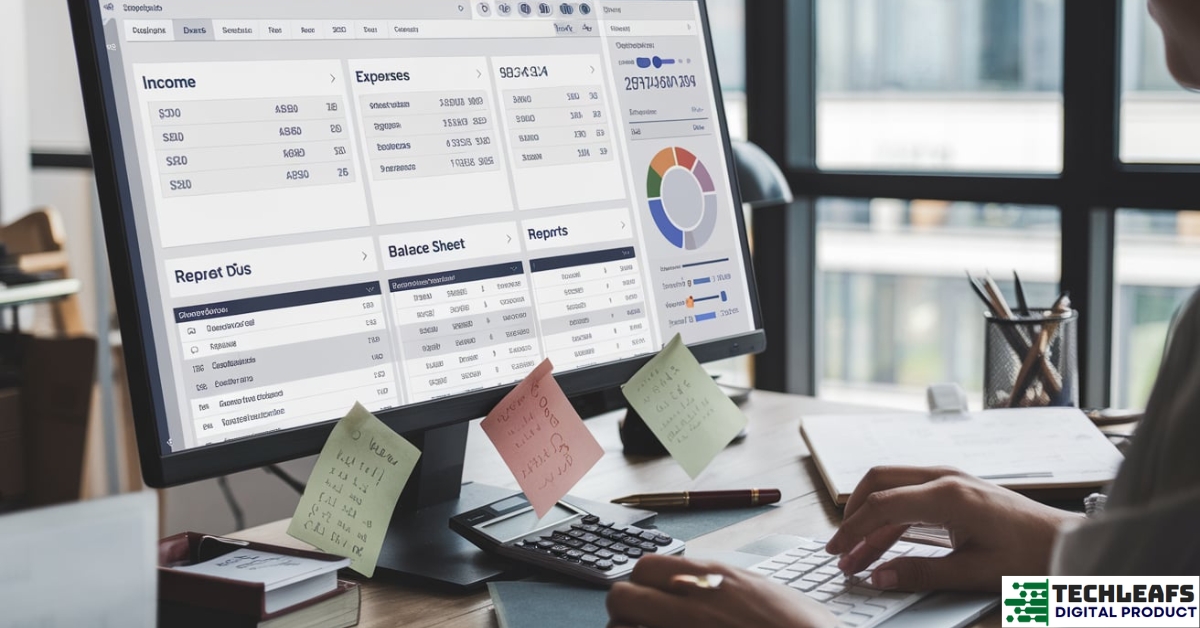
Choosing the right accounting software is very important for your business. It helps you manage your money, track sales, and prepare for taxes. If you don’t choose well, it can lead to mistakes and confusion. In this article, we will help you find the best accounting software for your business.
1. Understand Your Business Needs
Before choosing any software, you need to know what your business needs. Not every business is the same, so the software you choose must match what you do. Here are some things to think about:
- Business Size: Are you a small business or a big one? Some software works better for small companies, while others are better for larger ones.
- Industry Type: What kind of business do you have? A restaurant, a store, or a service-based business will have different needs.
- Features You Need: Do you need only basic accounting or do you need advanced features like payroll, inventory management, or invoicing?
It’s important to make a list of the things you need. This way, you can choose software that fits your business.
2. Check the Software’s Key Features
Accounting software can do many things. But not all features are needed for every business. Make sure the software has the key features that will help you.
a) Basic Accounting Features
Every business needs basic accounting features. These include:
- Income and Expense Tracking: The software should track how much money you make and how much you spend.
- Bank Reconciliation: It should connect to your bank accounts and credit cards to match your transactions.
- Financial Reporting: The software should be able to give you reports like profit and loss, balance sheets, and cash flow statements.
b) Additional Features for Specific Needs
Some businesses need more than just basic accounting. Here are some features you might want:
- Invoicing: If you send invoices to clients, look for software that makes it easy to create and send them.
- Payroll: If you have employees, you may need software that can handle payroll and tax calculations.
- Inventory Management: If you sell products, look for software that can track your stock levels and manage orders.
- Tax Filing: Some software helps with filing taxes by automatically calculating what you owe.
Make sure you understand what features you need before making a choice. Too many features might confuse you, but too few may limit your growth.
c) Ease of Use
No one wants complicated software. Choose something easy to use, even if you don’t have much experience with accounting. Look for software that is intuitive and user-friendly. A simple interface can save you time and reduce errors.
3. Consider the Software’s Pricing
The cost of accounting software is an important factor. You need to find a solution that fits your budget. However, don’t just choose the cheapest option. It’s important to consider the value the software provides.
a) Pricing Plans
Many accounting software programs offer different pricing plans. Some offer a free version with basic features, while others have monthly or yearly subscriptions. When choosing a plan, ask yourself:
- What features do you need right now?
- How much are you willing to spend each month?
- Are there any hidden fees, such as setup costs or charges for extra users?
Check if the software offers a free trial. This way, you can test it out before paying.
b) Long-Term Costs
Remember that costs may change as your business grows. Some software charges extra fees for additional users, features, or transactions. Choose software that is scalable and can grow with you without suddenly becoming too expensive.
c) Free vs. Paid Software
Free software can be a good option if you are just starting out. However, free versions often have limited features. If your business grows, you may need to upgrade to a paid version.
Paid software can give you more features and better customer support. The key is to find the right balance between price and functionality for your business.
4. Look for Good Customer Support
Good customer support can make a huge difference when using accounting software. If you run into problems or have questions, you need quick help. When choosing software, check how the company provides support.
a) Available Support Channels
Most software companies offer customer support through different channels. These may include:
- Phone Support: Direct help from a support agent.
- Email Support: You can send questions and receive responses by email.
- Live Chat: Chatting directly with a support agent on their website.
- Help Center or Knowledge Base: A collection of guides, FAQs, and video tutorials.
It’s best to choose software that offers multiple ways to contact them. This ensures you can get help in the way that works best for you.
b) Response Time
Speed matters. Check how quickly the company responds to customer support requests. If the software has a live chat feature, this is a good sign that you will get quick answers. If you have to wait for a long time to get a response, it can be frustrating.
c) User Reviews
Look at user reviews to see what other businesses think about the software’s support. Many users share their experiences with customer service. If the reviews mention poor support, it could be a red flag.
Good customer support is not just about answering questions. It also means being available when you need help and solving problems quickly.
5. Ensure the Software Is Secure
Security is one of the most important factors to consider when choosing accounting software. Your financial data is sensitive, and you need to make sure it’s safe from hackers or mistakes. Here’s what to look for:
a) Data Encryption
Encryption is a way to protect your data by turning it into a code that only the right person can read. Make sure the software uses strong encryption for your financial data, especially when it’s stored online.
b) Backup Features
Good accounting software should automatically back up your data. This way, if there’s a problem, you won’t lose everything. Some software lets you manually back up data, while others do it automatically on a schedule.
c) Two-Factor Authentication
Two-factor authentication (2FA) adds an extra layer of security. In addition to your password, you will need to enter a code sent to your phone or email to log in. This makes it harder for someone to steal your information.
d) Compliance with Regulations
Check if the software complies with local laws and regulations about data protection. For example, in some countries, there are rules about how financial data should be stored and protected. Make sure the software meets these standards.
Frequently Asked Questions (FAQs)
1. What is accounting software, and why do I need it for my business?
Accounting software is a tool that helps you manage your business’s finances. It tracks income, expenses, and generates reports to help you understand your financial health. You need it to save time, reduce errors, and ensure your financial records are accurate and up-to-date for tax purposes.
2. How do I know which features I need in accounting software?
Start by listing your business needs. If you’re a small business, you may only need basic features like income and expense tracking. Larger businesses or those with employees may require additional features like payroll, invoicing, or inventory management. Focus on what will make your daily tasks easier and your financial reporting more accurate.
3. Can I use free accounting software for my business?
Free accounting software can work well for small or startup businesses with simple needs. However, they often have limited features. As your business grows, you may need to upgrade to a paid plan to access more advanced tools and better support.
4. How much does accounting software cost?
The cost of accounting software depends on the features and the size of your business. Most software providers offer monthly or yearly subscriptions, with prices ranging from $10 to $100 or more per month. Free trials are available with many tools, so you can test the software before committing to a subscription.
5. What makes accounting software secure?
Good accounting software should protect your data with strong encryption, regular backups, and secure login methods like two-factor authentication. It should also comply with local data protection regulations to ensure your financial data is safe from unauthorized access.
6. How do I get help if I face issues with the software?
Most accounting software providers offer customer support through phone, email, live chat, or a knowledge base. Look for software that offers multiple support options and fast response times. Reading user reviews can also help you gauge the quality of customer support.
7. Can accounting software help with taxes?
Yes! Many accounting software options automatically calculate your tax obligations and help you file taxes. They can generate tax reports based on your income, expenses, and business type. Some software even integrates directly with tax filing systems to simplify the process.
8. How do I choose between cloud-based and desktop accounting software?
Cloud-based software is accessed online and stores your data in the cloud, making it easier to access from anywhere. Desktop software is installed on your computer and stores data locally. Cloud software is often more convenient, but desktop software may be more secure for sensitive data. Choose based on your need for accessibility and security.
9. Can accounting software help with budgeting and forecasting?
Yes, many accounting software programs include tools for budgeting and forecasting. These tools can help you plan your business’s future financial goals, track expenses, and analyze cash flow, making it easier to stay on top of your finances.
10. What if my business grows and I need more features?
As your business expands, look for accounting software that can grow with you. Many providers offer scalable plans, allowing you to add more features or users as needed. When choosing software, consider its flexibility and ability to accommodate your business’s growth.
Conclusion
Choosing the right accounting software is a big decision. It can save you time, reduce errors, and make managing your business finances much easier. To make the best choice, understand your needs, look for essential features, compare pricing, check for strong customer support, and ensure the software is secure.
By following these steps, you will find software that helps you grow your business without unnecessary headaches. Don’t rush the decision—take the time to choose the best option for you.
