
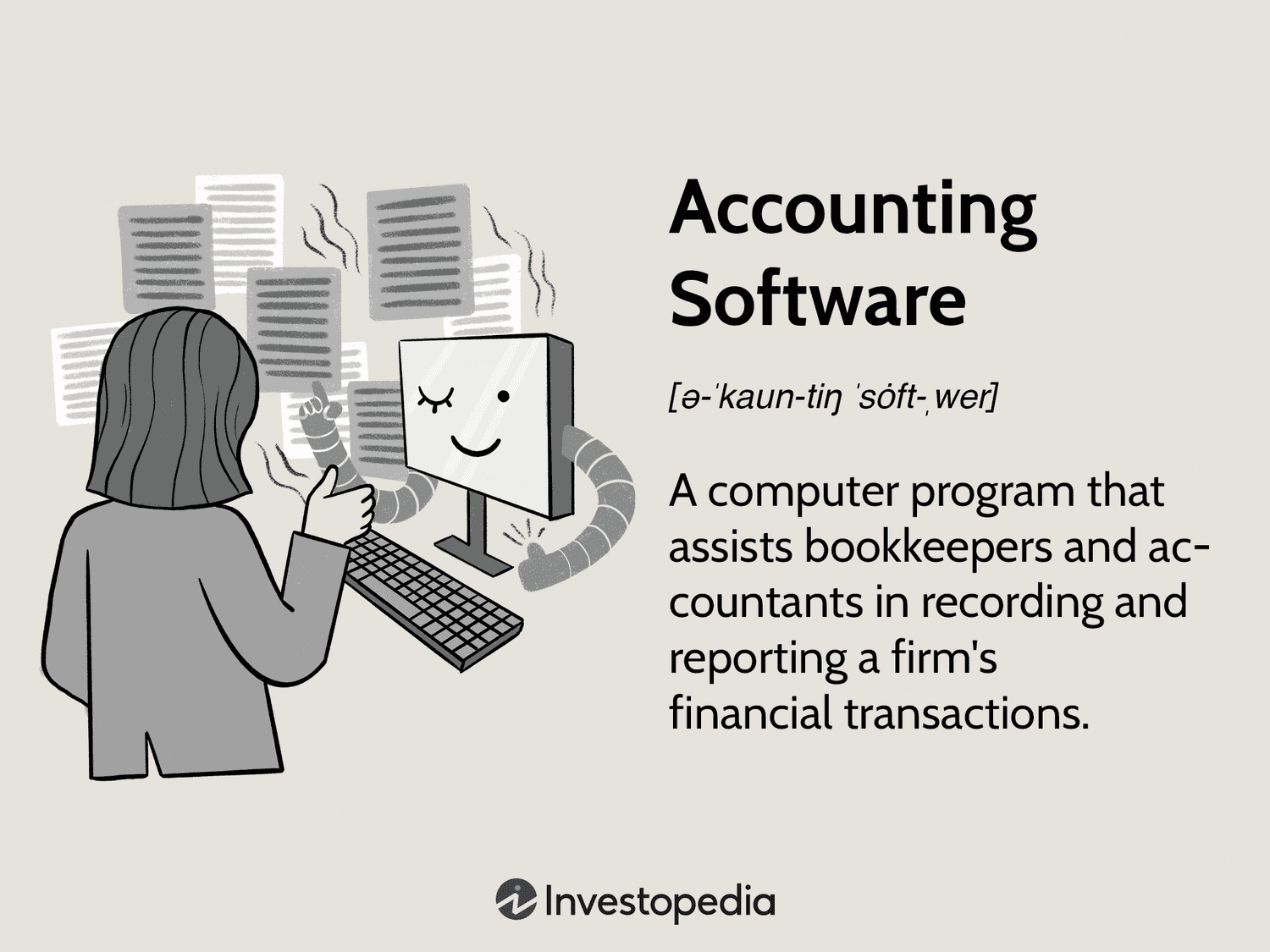
Using accounting software can simplify your financial management tasks. It’s essential for businesses of all sizes.
Accounting software helps you keep track of income, expenses, and other financial data. It automates tasks, making your work easier and more accurate. Understanding how to use this software can save time and reduce errors. In this guide, we will explore the basics of using accounting software.
You’ll learn how it can streamline your business processes. Whether you’re new to accounting or looking to improve your skills, this guide will be beneficial. We’ll break down the steps so you can follow along easily. By the end, you’ll feel more confident in managing your business finances. Let’s get started!
Introduction To Accounting Software
Accounting software helps businesses manage financial transactions. It automates tasks like billing, invoicing, and tracking expenses. This software is essential for small and large businesses. It saves time and reduces errors.
Why Use Accounting Software
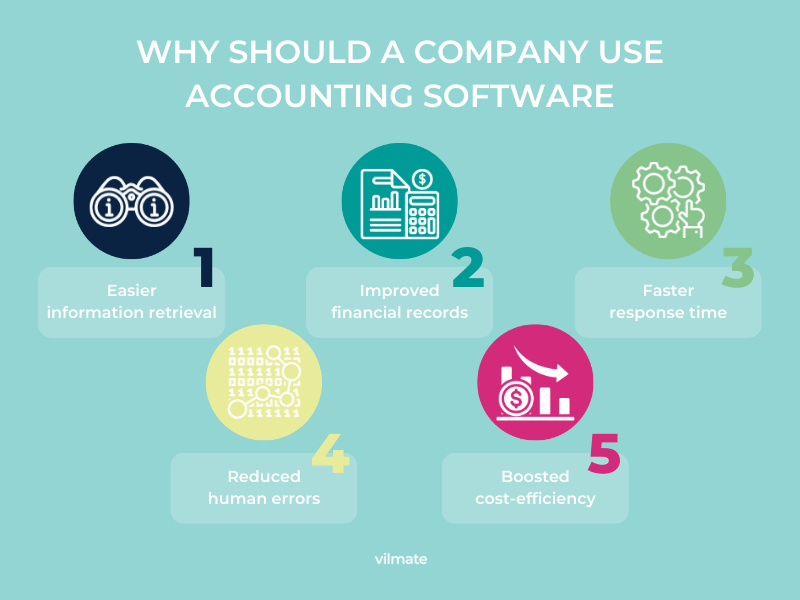
There are many reasons to use accounting software:
- Efficiency: It speeds up financial processes.
- Accuracy: It reduces human errors in calculations.
- Reporting: It generates financial reports quickly.
- Compliance: It ensures compliance with tax laws.
Using accounting software makes financial management easier. It gives you more time to focus on your business.
Types Of Accounting Software
There are different types of accounting software:
| Type | Description |
|---|---|
| Cloud-Based | Accessible from any device with internet. Ideal for remote work. |
| Desktop | Installed on a single computer. Suitable for small businesses. |
| Enterprise | Designed for large organizations. Offers extensive features. |
| Open Source | Customizable and free. Requires technical knowledge to set up. |
Choose the type that fits your business needs. Consider factors like budget and complexity.
Credit: vilmate.com
Choosing The Right Software
Choosing the right accounting software can be challenging. The right tool simplifies your tasks, saves time, and reduces errors. You need software that fits your business needs. So, where do you start? Let’s break it down.
Assessing Your Needs
First, understand your business requirements. Do you need software for invoicing or payroll? Maybe you need both. Think about the size of your business. A small startup has different needs compared to a large company. Also, consider your budget. Some software can be expensive. Others offer free basic plans. Make a list of must-have features. This will help you narrow down your options.
Top Features To Look For
Look for user-friendly software. It should be easy to navigate. Cloud-based solutions offer flexibility. You can access them from anywhere. Integration with other tools is important. Ensure the software connects with your bank. It should also sync with your existing systems. Check for automated features. They save time and reduce manual errors. Reporting and analytics are crucial. They help you understand your financial health. Customizable reports offer insights tailored to your business. Lastly, ensure good customer support. You might need help setting up or troubleshooting issues.
Setting Up Your Account
Setting up your account is the first step in using accounting software. This process ensures that your information is accurate and organized. It also tailors the software to your specific needs. Let’s break it down into simple steps.
Creating Your Profile
Start by creating your profile. Enter basic details like your name, email, and business name. Ensure your email is correct. This is crucial for receiving updates. Some software may ask for additional details. Fill them out carefully.
Configuring Settings
Next, configure the settings. Go to the settings menu. Adjust the preferences to match your business needs. Set your currency, time zone, and language. Choose your preferred date format. These settings help in generating accurate reports.
You might also need to set up tax information. Enter your tax ID and rates. This will automate tax calculations. Review all settings before saving. Double-check for accuracy. This will save you time later.
Inputting Financial Data
Using accounting software can simplify your financial tracking. Inputting financial data is a crucial step. It ensures accurate records and helps in decision-making. Let’s delve into the specifics of entering income and expenses, and tracking assets and liabilities.
Entering Income And Expenses
Accurate entry of income and expenses is vital. Start by categorizing your income streams. This could be sales revenue, service fees, or investment returns. Use the software’s income entry form to input these details. Ensure you include the date, amount, and source.
Next, focus on expenses. Categorize them as operational costs, salaries, or utilities. Enter each expense in the software, detailing the date, amount, and recipient. Most software allows attaching receipts. Make use of this feature for better record-keeping.
| Category | Details to Enter |
|---|---|
| Income | Date, Amount, Source |
| Expenses | Date, Amount, Recipient |
Tracking Assets And Liabilities
Properly tracking assets and liabilities is essential for a clear financial picture. Start with assets. This includes cash, inventory, and property. Input the value and acquisition date of each asset. Update this regularly to reflect changes.
Then, record your liabilities. This includes loans, mortgages, and other debts. Enter the liability amount, lender, and due date. Regular updates ensure your liabilities are current.
- Enter assets: value and acquisition date.
- Update assets regularly.
- Record liabilities: amount, lender, and due date.
By diligently entering and tracking your financial data, you maintain an accurate financial record. This enables better financial planning and decision-making.
Managing Invoices
Managing invoices efficiently is crucial for any business. It ensures timely payments and maintains cash flow. Accounting software simplifies this process. It helps you create, send, and track invoices with ease. Let’s explore how to manage invoices effectively.
Creating Invoices
Start by selecting the ‘Create Invoice’ option in your accounting software. Enter the customer’s details. Include the invoice date, due date, and payment terms. Itemize the products or services provided. Ensure each item has a description, quantity, and price. Add any applicable taxes. Review the total amount. Save and preview the invoice. Send it directly to the customer via email.
Managing Payments
Track payments received using the ‘Payments’ section. Mark invoices as paid once the payment is received. Record the payment method used. Update the invoice status to reflect the payment. Generate receipts and send them to the customer. Monitor unpaid invoices. Send reminders for overdue payments. Regularly update your records to maintain accuracy.
Credit: www.netsuite.com
Generating Financial Reports
Generating financial reports is a crucial aspect of using accounting software. These reports provide valuable insights into the financial health of your business. They are essential for decision-making and strategic planning. Below, we explore how to generate two important financial reports: Profit and Loss Statements and Balance Sheets.
Profit And Loss Statements
The Profit and Loss (P&L) Statement, also known as the Income Statement, shows your revenue and expenses over a specific period. It helps you understand how profitable your business is.
To generate a P&L Statement:
- Open your accounting software.
- Navigate to the ‘Reports’ section.
- Select ‘Profit and Loss Statement’ or ‘Income Statement’.
- Choose the date range for the report.
- Click ‘Generate’ or ‘Run Report’.
Your P&L Statement will display:
- Total Revenue: The income generated from sales and services.
- Cost of Goods Sold (COGS): The direct costs attributable to the production of goods sold.
- Gross Profit: Revenue minus COGS.
- Operating Expenses: Expenses related to the day-to-day operations.
- Net Profit: Gross profit minus operating expenses.
Balance Sheets
A Balance Sheet provides a snapshot of your company’s financial position at a specific point in time. It lists your assets, liabilities, and equity.
To generate a Balance Sheet:
- Open your accounting software.
- Go to the ‘Reports’ section.
- Select ‘Balance Sheet’.
- Choose the date for the report.
- Click ‘Generate’ or ‘Run Report’.
Your Balance Sheet will include:
| Category | Description |
|---|---|
| Assets | Resources owned by the company (e.g., cash, inventory). |
| Liabilities | Obligations or debts owed to others (e.g., loans, accounts payable). |
| Equity | Owner’s interest in the company (e.g., retained earnings). |
By regularly generating these financial reports, you can keep a close eye on your business’s financial health. This practice helps you make informed decisions and plan for future growth.
Reconciling Accounts
Reconciling accounts is a vital task in managing your business finances. It ensures that your financial records match your bank statements. This helps in identifying any discrepancies and maintaining accurate financial data. Using accounting software can simplify this process and save you time.
Bank Reconciliation
Start by gathering your bank statements and financial records. Open your accounting software and locate the bank reconciliation feature. Enter your bank statement information into the software. Compare each transaction from your bank statement with your financial records. Mark any matching transactions as reconciled. This will help you see which transactions are pending or missing. Repeat this process for each account you need to reconcile.
Handling Discrepancies
Discrepancies can occur during reconciliation. These could be due to errors, missing transactions, or timing differences. Identify any mismatched transactions and investigate the reason. Check if the transaction was recorded incorrectly or if it is missing. Correct any errors in your financial records. If the discrepancy persists, contact your bank for clarification. This ensures that your records are accurate and up-to-date. Regularly reconciling accounts helps maintain the integrity of your financial data.
.webp)
Credit: www.invensis.net
Advanced Features
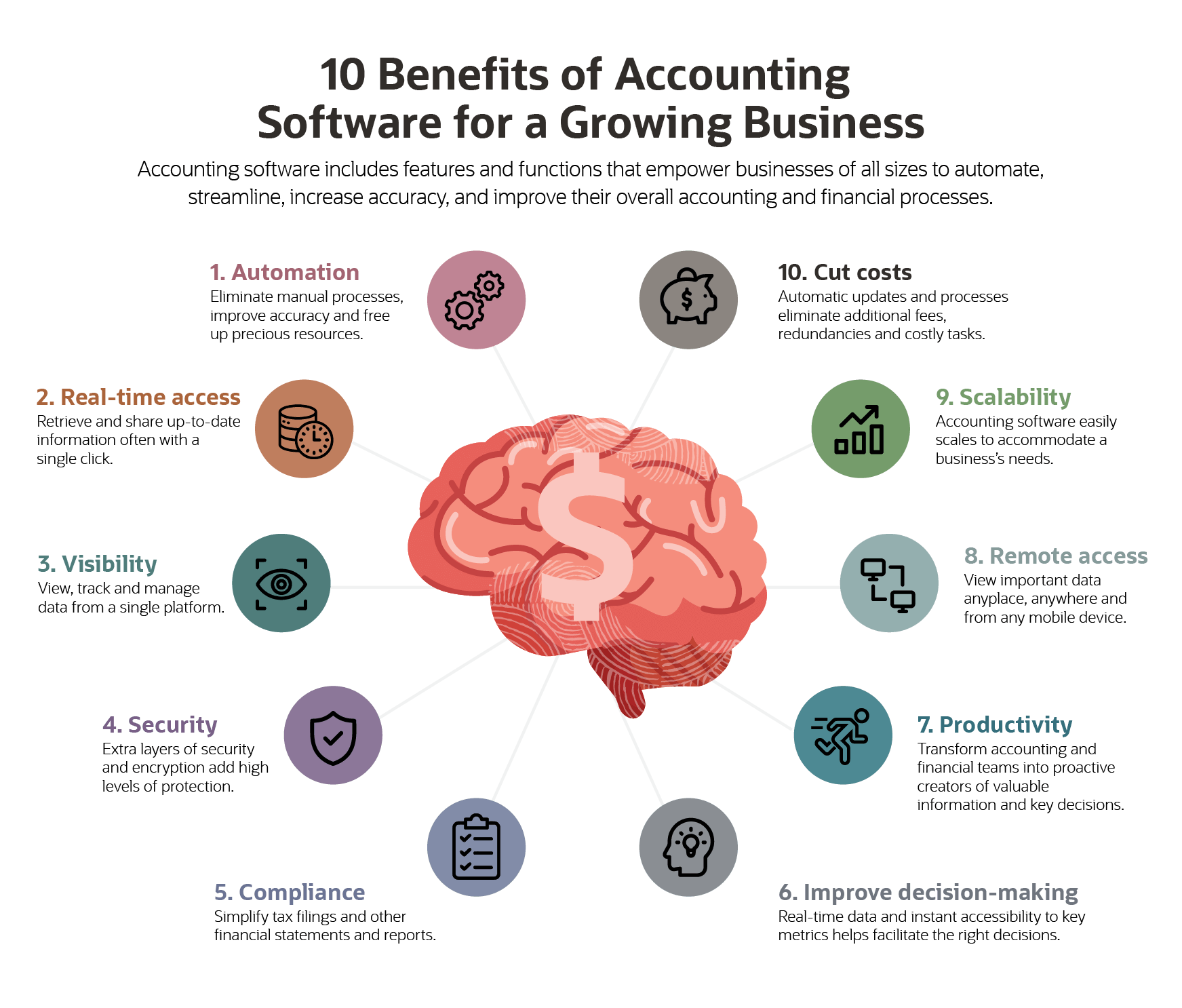
Advanced features in accounting software can save time and reduce errors. These features offer more than just basic bookkeeping. They help automate tasks, integrate with other tools, and much more.
Automating Tasks
Automating tasks is one of the most helpful advanced features. The software can handle repetitive tasks like invoicing, payroll, and tax calculations. This saves time and ensures accuracy. You can set rules for the software to follow. For example, you can schedule invoices to be sent out on specific dates. This reduces the need for manual intervention. Automated reminders can help you keep track of unpaid invoices. So, you get paid faster.
Integrating With Other Tools
Integrating with other tools can boost your productivity. Accounting software can connect with CRM systems, payment processors, and inventory management tools. This ensures all your data is in one place. No need to switch between different applications. You can also sync your bank accounts to the software. This makes reconciliation easier and faster. Additionally, integration with tax software can simplify tax filing. So, you stay compliant with regulations without much hassle.
Common Mistakes To Avoid
Using accounting software can streamline your financial tasks. But, many users make common mistakes. These errors can lead to bigger problems. Here are some common mistakes to avoid.
Data Entry Errors
Data entry errors can cause serious issues. Always double-check your entries. Incorrect data can lead to wrong financial reports. Use software features to catch mistakes. Utilize auto-fill options where possible. Make sure to review your entries regularly.
Ignoring Software Updates
Ignoring software updates is a big mistake. Updates fix bugs and improve security. They also add new features. Keeping your software updated ensures smooth operation. Set reminders to check for updates. Enable automatic updates if available.
Tips For Efficiency
Efficient use of accounting software can save time and reduce errors. By following some simple tips, you can make the most of your accounting tool. These tips help in maintaining accuracy and ensuring a smooth workflow.
Regularly Updating Records
Keep your financial records up to date. Enter transactions as they happen. This avoids backlog and reduces the chance of mistakes. Regular updates mean you always have current data at your fingertips. It helps in making informed decisions quickly. Set a schedule for updating your records. It could be daily or weekly, depending on your business needs.
Utilizing Customer Support
Customer support is there to help you. Don’t hesitate to reach out. They can solve technical issues and answer your questions. Use their expertise to understand the software better. Many accounting software providers offer tutorials and webinars. Participate in these to learn new features and tips. Having a good relationship with customer support can save you a lot of time.
Frequently Asked Questions
What Is Accounting Software Used For?
Accounting software is used to manage financial transactions, track expenses, and generate financial reports. It helps businesses streamline their accounting processes.
How Do I Choose The Right Accounting Software?
Identify your business needs, budget, and required features. Compare different software options and read reviews before making a decision.
Can Accounting Software Save Time?
Yes, accounting software automates repetitive tasks, reduces manual data entry, and generates reports quickly, saving valuable time.
Is Accounting Software Easy To Use?
Most accounting software is user-friendly and designed for ease of use. Many offer tutorials and customer support.
Conclusion
Using accounting software simplifies financial tasks. It saves time and reduces errors. Learn the features step-by-step. Practice regularly to gain confidence. The software helps track expenses, manage invoices, and create reports. Always keep your data secure. Choose a trusted software that fits your needs.
Stay organized and efficient. Try different features to find what works best. Your business will benefit greatly. Happy accounting!
