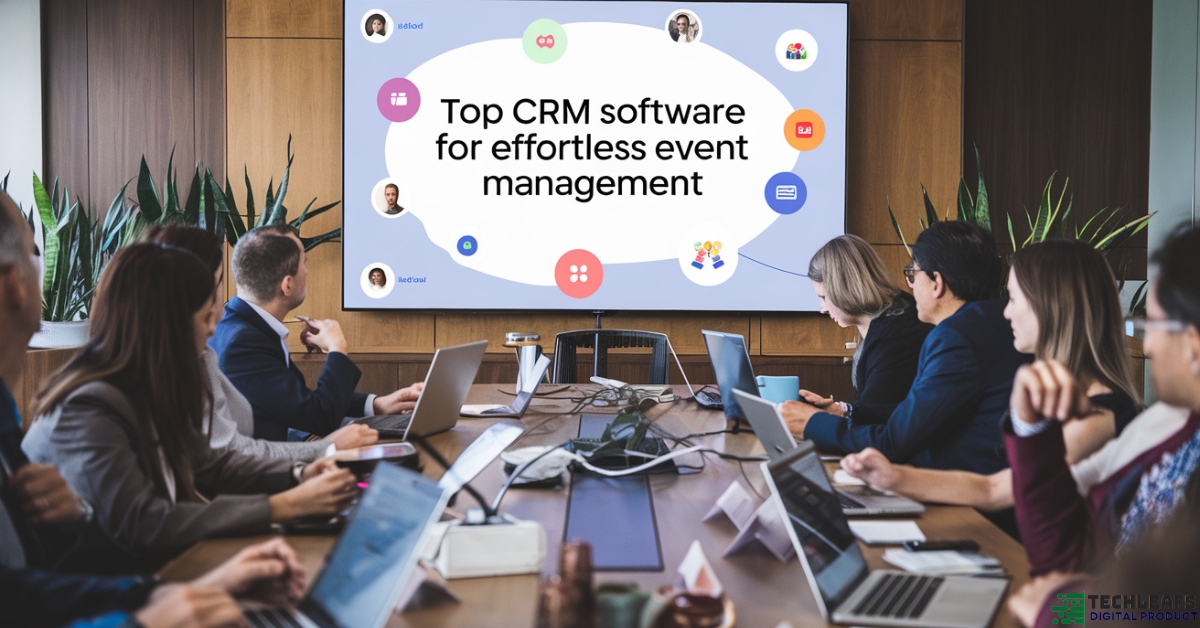
Event management can be a tough task, with many moving parts to handle. Organizing an event requires keeping track of guests, vendors, sponsors, and much more. A good Customer Relationship Management (CRM) software can make all of this easier.
In this article, we will discuss the best CRM software for event management. We’ll also explain why each tool is useful and how it can help you create a smooth and successful event.
Why Do You Need CRM for Event Management?
Before diving into the best CRM options, let’s first understand why a CRM is important for event management.
Event managers need to stay on top of many things. They have to manage:
- Guests: Who is attending? What are their preferences?
- Vendors: What services are they providing? What are the payment terms?
- Sponsors: What deals are in place? What do they need in return?
- Tickets: How many tickets have been sold? Who needs to be sent reminders?
- Communication: How do we keep everyone updated?
A CRM software helps by organizing all of this information in one place. It also improves communication, saves time, and ensures that no detail is missed.
Key Features to Look for in Event Management CRM Software
When choosing a CRM for event management, there are several features you should look for:
- Guest Management: The ability to track who is attending, their preferences, and whether they need special accommodations.
- Vendor Management: A CRM should help track vendors, their contracts, and payments.
- Ticketing and Registration: A good CRM should have tools to sell and manage event tickets.
- Communication Tools: The CRM should have built-in tools for sending emails, messages, and reminders to guests, vendors, and sponsors.
- Event Analytics: The CRM should allow you to track event performance, such as ticket sales, feedback, and engagement.
- Integration with Other Tools: Make sure the CRM can work with other tools like email marketing platforms or payment processors.
- Customizable: Each event is different. A CRM that allows for customization will suit your specific needs better.
Top CRM Software for Event Management
Now that we understand the importance of CRM in event management and the features to look for, let’s explore the best CRM software options available. These tools are trusted by professionals in the event industry to streamline their work and deliver amazing experiences.
1. HubSpot CRM
Overview: HubSpot CRM is a powerful and easy-to-use tool. It offers a free version with basic features, making it accessible for smaller event organizers. It also has paid plans with more advanced features for larger events.
Why It’s Great for Event Management:
- Guest Tracking: HubSpot helps you track guests, send personalized invitations, and manage registrations.
- Email Marketing: You can send event updates and reminders through email campaigns.
- Customizable Pipelines: HubSpot allows you to create pipelines for different stages of event management, such as pre-event, during-event, and post-event.
- Integration with Other Tools: It integrates well with other platforms like Mailchimp, Google Sheets, and social media channels.
Drawback: The free version has limited features, and you may need to upgrade for more advanced tools.
2. Eventbrite
Overview: Eventbrite is a popular platform for event management and ticketing. It’s known for its easy-to-use ticketing system and event registration features.
Why It’s Great for Event Management:
- Ticketing and Registration: Eventbrite excels in selling tickets and managing registrations. It offers a seamless process for guests to buy tickets online.
- Payment Management: Eventbrite allows you to collect payments for your event tickets directly through the platform.
- Event Promotion: You can promote your event on social media directly through Eventbrite, reaching a larger audience.
- Analytics: It provides detailed reports about ticket sales, attendees, and financials, making it easier to assess the event’s success.
Drawback: Eventbrite’s pricing can be expensive, especially for large events with many attendees.
3. Zoho CRM
Overview: Zoho CRM is an affordable, customizable tool that helps manage contacts, sales, and marketing. It’s suitable for event managers who need a full CRM system that handles more than just event details.
Why It’s Great for Event Management:
- Customization: Zoho CRM allows you to customize fields, views, and processes according to your event needs.
- Lead Generation: It helps you collect leads and track your communication with potential event guests.
- Event Tracking: You can track all your event activities and interactions with vendors and sponsors.
- Automation: Zoho allows you to automate repetitive tasks like sending follow-up emails and reminders.
Drawback: The learning curve may be steep for beginners, and it can take some time to get used to the interface.
4. Salesforce
Overview: Salesforce is one of the most popular CRMs in the world. It is known for its powerful features and flexibility. Salesforce is perfect for large-scale events with a high level of complexity.
Why It’s Great for Event Management:
- Advanced Reporting: Salesforce provides deep analytics, allowing you to evaluate your event’s performance in detail.
- Marketing Automation: You can automate your marketing campaigns and follow-ups, saving time and improving engagement.
- Collaboration: The CRM allows multiple team members to collaborate, assign tasks, and monitor progress.
- Customizable: Salesforce offers a wide range of customization options to adapt to your unique event management needs.
Drawback: Salesforce is expensive and may be too complex for smaller events or organizations with limited budgets.
5. Cvent
Overview: Cvent is a comprehensive event management software used by businesses and organizations around the world. It’s specifically built for event planners, offering a range of features for both virtual and in-person events.
Why It’s Great for Event Management:
- Event Registration: Cvent provides an easy-to-use registration platform that integrates with your website.
- Customizable Event Websites: You can create customized event websites that reflect your brand’s style.
- Attendee Tracking: Cvent offers features for tracking attendee behavior, such as session participation and booth visits at trade shows.
- Virtual Event Support: It supports virtual events, making it easier to host webinars, conferences, and online meetups.
Drawback: Cvent is quite expensive and may not be the best choice for small events or organizations.
6. Bizzabo
Overview: Bizzabo is an all-in-one event management software designed for professional event organizers. It’s known for its flexibility and ability to handle events of all sizes, from small meetings to large conferences.
Why It’s Great for Event Management:
- Event Marketing Tools: Bizzabo offers tools to promote your event, send invitations, and track the effectiveness of your marketing efforts.
- Customizable Event Website: Create a branded website for your event with all the details, agendas, and speaker information.
- Engagement Tools: Bizzabo provides options for networking, polls, surveys, and live chats to engage attendees before, during, and after the event.
- Analytics: Bizzabo’s advanced analytics helps you track ticket sales, attendee engagement, and post-event feedback.
Drawback: Bizzabo’s interface can be overwhelming for new users, and there may be a learning curve to take full advantage of all its features.
7. Monday.com
Overview: Monday.com is a visual project management tool that has quickly become popular for organizing events. It’s highly customizable and offers many features that make it easy to track tasks, deadlines, and team collaboration.
Why It’s Great for Event Management:
- Visual Project Tracking: With Monday.com, you can create visual boards to track every aspect of your event, from the planning stages to execution.
- Team Collaboration: It’s easy to assign tasks, set deadlines, and track progress. Your whole team can collaborate in real-time.
- Automations: You can automate repetitive tasks like sending reminders or updating team members.
- Customizable: Monday.com allows you to create custom workflows to suit your specific event management needs.
Drawback: While Monday.com is versatile, its feature set may be too broad for event managers who need a more focused CRM for event-related tasks.
8. EventMobi
Overview: EventMobi is a cloud-based platform built specifically for event management. It offers tools to manage registration, ticketing, attendee engagement, and post-event analysis.
Why It’s Great for Event Management:
- Mobile App for Attendees: EventMobi provides a mobile app for your event, which can be branded and used to engage attendees before, during, and after the event.
- Customizable Registration: You can create custom registration forms for different types of attendees.
- Attendee Engagement: EventMobi offers features like live polling, Q&A sessions, and gamification to keep attendees engaged throughout the event.
- Reports & Analytics: EventMobi provides detailed reports on ticket sales, attendee participation, and feedback, helping you improve future events.
Drawback: The platform may feel overwhelming for smaller events, and it’s best suited for larger-scale conferences or trade shows.
How to Choose the Right CRM for Your Event
Now that you’ve seen some of the best CRM software for event management, it’s time to think about which one is right for you. Here are some key factors to consider when making your decision:
1. Event Size
The size of your event will play a big role in choosing the right CRM. If you are organizing a small, local event with a few hundred guests, a simple CRM like HubSpot or Zoho CRM may be enough.
However, for large-scale events like conferences, trade shows, or festivals, you will need a more robust solution like Salesforce, Cvent, or EventMobi. These CRMs offer advanced features for managing multiple sessions, large audiences, and complex logistics.
2. Budget
Your budget will also determine which CRM software you can afford. Some CRMs like HubSpot offer free versions with limited features, which are suitable for small events or new organizers. If you have a larger budget, you may want to invest in more advanced tools like Salesforce or Cvent, which offer more powerful features but come at a higher price.
Make sure to consider not only the initial cost but also any ongoing fees, such as monthly or annual subscriptions, which may add up over time.
3. Ease of Use
Event management can be stressful, and you need software that’s easy to use. Look for a CRM that is intuitive and has a simple interface. Software like Eventbrite and Monday.com are known for their ease of use, making them a good choice for beginners or those who want to focus more on event planning than learning a complicated tool.
On the other hand, more advanced CRMs like Salesforce or Zoho CRM can require some training. If you’re willing to invest time in learning the software, they offer powerful tools that may be worth the effort.
4. Customization Needs
Your event may have unique requirements that need special customization. If your event involves multiple stages or complex workflows, choose a CRM that allows for easy customization. Salesforce and Zoho CRM both offer extensive customization options, letting you tailor the software to your specific needs.
However, if you prefer a simpler solution with fewer customization needs, tools like HubSpot or Eventbrite may be sufficient.
5. Integration with Other Tools
Most event planners use several tools to manage different parts of their events, like email marketing software, payment processors, or social media platforms. Ensure that the CRM you choose integrates well with the other tools you are using. Salesforce, HubSpot, and Zoho CRM all offer strong integration capabilities with many third-party tools.
6. Customer Support
Good customer support can make a huge difference, especially when you’re dealing with tight deadlines. Look for a CRM that provides reliable customer service, such as 24/7 support, chat options, or phone assistance. Eventbrite, Bizzabo, and Cvent are known for providing excellent customer support to help you during the event planning process.
Advanced Features in CRM for Event Management
In this section, we’ll explore the advanced features that can make event management much easier, from automating repetitive tasks to improving attendee engagement. These features are often found in high-quality CRM tools, making them a game-changer for event organizers.
1. Automated Task Management
Event management involves many moving parts, and it’s easy to lose track of tasks. Many CRMs have automation features that help you streamline the planning process.
- Task Assignment: Some CRMs allow you to assign tasks to team members automatically based on their role or availability. For example, you can set up an automatic workflow that assigns tasks like “send invites” or “book a vendor” at different stages of your event.
- Reminders and Alerts: Automated reminders ensure no task is missed. You’ll be notified of approaching deadlines, helping you stay on track without needing to check constantly.
2. Advanced Reporting and Analytics
Understanding how well your event is performing is crucial. The best CRMs offer advanced analytics features that help you track metrics such as:
- Ticket Sales: Most CRM tools can track how many tickets you’ve sold and how close you are to meeting your goals. Some platforms also provide real-time tracking, allowing you to adjust your marketing efforts if sales are lower than expected.
- Attendee Engagement: CRMs like EventMobi or Bizzabo allow you to see how engaged attendees are during your event. For instance, you can track which sessions they attend, how long they stay, and whether they participate in polls or surveys.
- Post-Event Reports: After the event, the CRM generates reports that summarize attendee feedback, social media interactions, and ROI, helping you plan better for your next event.
3. Attendee Networking and Engagement Tools
Modern CRMs go beyond basic guest list management. They offer tools to keep your attendees engaged and provide opportunities for networking:
- Attendee Profiles: Some CRMs allow you to create detailed attendee profiles. This helps you tailor communication and provide personalized experiences. For instance, Bizzabo lets attendees create profiles and connect with others who have similar interests.
- Mobile Apps: Event-specific mobile apps, like the ones from EventMobi, provide features such as live chat, networking boards, and session feedback. These tools improve attendee satisfaction and engagement during the event.
- Gamification: Some CRMs use gamification elements like points or badges to encourage attendees to participate more. This increases engagement and makes the event more fun for attendees.
4. Virtual and Hybrid Event Management
The rise of virtual and hybrid events requires a CRM with tools tailored for digital interactions. Here’s how some CRMs help with virtual events:
- Webinars and Live Streaming: Platforms like Cvent and EventMobi integrate with webinar platforms to provide a seamless experience for virtual attendees. These integrations allow for easy registration, live-streaming of sessions, and post-event on-demand access.
- Virtual Exhibitor Booths: For trade shows or expos, CRMs such as Bizzabo offer virtual exhibitor booths where attendees can explore products and interact with sponsors or vendors online.
- Session Tracking: Virtual events often have multiple live sessions. A CRM with session tracking can help you see which attendees joined which sessions, allowing you to send personalized follow-ups or adjust content for future events.
5. Vendor and Sponsor Management
Managing relationships with vendors and sponsors is a critical part of event planning. Here’s how CRMs help with this:
- Vendor Contracts and Payments: CRMs like Planning Pod allow you to store vendor contracts and track payments, making it easier to manage multiple vendor relationships without the risk of losing important documents.
- Sponsorship Tracking: Many CRMs let you track sponsorship deals, ensuring that all sponsors receive the agreed-upon benefits, such as exposure in event marketing materials or booths at the event. Cvent offers robust sponsor tracking features, allowing event planners to track everything from logo placement to sponsor-driven sessions.
6. Seamless Integration with Other Tools
Event planning often involves using multiple tools for different purposes. The best CRMs integrate with various platforms to ensure your workflow stays seamless:
- Email Marketing: CRMs like HubSpot integrate with email platforms like Mailchimp, allowing you to send automated emails, reminders, and post-event thank-you notes without switching between different platforms.
- Payment Systems: Integration with payment processors like Stripe or PayPal makes it easy to collect registration fees, sponsorships, and other payments.
- Social Media: Some CRMs, like Eventbrite, integrate with social media platforms, enabling you to share event updates, sell tickets, and track attendee engagement.
How CRM Software Saves Time and Reduces Stress
One of the biggest challenges of event management is the sheer amount of time and effort it takes to coordinate everything. From handling registrations to sending reminders and tracking payments, there’s a lot to keep up with. CRM software can make this process much easier. Here’s how:
1. Automates Routine Tasks
A good CRM automates many of the repetitive tasks involved in event planning. This reduces the chances of forgetting something important and frees up time for more creative and strategic aspects of your event. Some of the key automation features include:
- Event Registration: Many CRMs like Eventbrite and Cvent automate the entire registration process. When a guest signs up, the CRM sends confirmation emails, collects payment, and adds the attendee to your list.
- Email Reminders: With email automation, CRMs can send reminders to attendees, vendors, and sponsors at set intervals. For example, you can set up an email sequence that starts with a confirmation email when someone registers and sends reminders as the event date approaches.
- Follow-Up Emails: After the event, CRMs automatically send thank-you emails to attendees, sponsors, and vendors. These emails can include a survey to gather feedback and a call to action for future events.
2. Centralized Communication
Event management often involves working with different teams and stakeholders, including guests, vendors, sponsors, and your own team. A CRM centralizes all communication, making it easier to manage:
- Internal Team Collaboration: CRMs like Monday.com allow you to collaborate with your team in real-time. You can assign tasks, set deadlines, and communicate through the platform, ensuring that everyone stays on the same page.
- External Communication: Whether you’re sending emails to attendees or updating vendors, a CRM ensures all communication is organized. This helps prevent missed messages and reduces the chances of any details falling through the cracks.
3. Data Management and Reporting
Managing data is essential for event success, and a CRM helps you store and analyze all the information you need in one place. Here’s how it helps:
- Centralized Data Storage: All guest information, vendor contracts, payment details, and marketing materials are stored in the CRM. This eliminates the need to track everything in spreadsheets or emails.
- Real-Time Reports: CRMs provide real-time reporting on various aspects of the event, such as ticket sales, attendee engagement, and revenue. This allows you to adjust your strategies during the event, rather than waiting until after it’s over.
- Post-Event Analytics: After the event, the CRM generates detailed reports that summarize performance. These reports can include data on how well your marketing efforts worked, how many tickets were sold, and how engaged attendees were.
4. Improved Customer Experience
One of the main benefits of using CRM software is the improvement in customer experience. With CRM, you can offer more personalized communication and a smoother event experience. Here’s how:
- Personalized Communication: Using attendee data, a CRM can help you tailor emails, event reminders, and offers. For example, you can send a special welcome email to VIP guests or follow up with attendees based on the sessions they attended.
- Quick Response Times: A CRM ensures that you can quickly respond to inquiries from attendees or vendors. If someone has a question about registration, payment, or event details, you can quickly find the information you need and provide an answer.
- Event Customization: For larger events, a CRM allows you to offer personalized event schedules, customized itineraries, or specific session recommendations based on attendee interests.
5. Managing Multiple Events at Once
Event planners often need to juggle multiple events at the same time. A CRM with multi-event management capabilities helps by:
- Event Overviews: CRMs like Cvent and Zoho CRM provide an overview of all your events, allowing you to track progress and status in one place. This makes it easier to manage multiple events without feeling overwhelmed.
- Task Management Across Events: If you’re working on several events, the CRM allows you to assign tasks and deadlines across all events. This ensures that no event gets neglected and keeps the team focused on priorities.
Why CRM Software is a Must-Have for Event Management
Event planning is a complex process that involves coordinating many moving parts. From managing attendees and vendors to ensuring smooth communication and keeping track of finances, it’s easy to feel overwhelmed. This is where CRM software comes in—it helps simplify your workflow, improves organization, and ultimately leads to a more successful event.
Key Benefits Recap:
- Centralized Information: All your data, from guest lists to vendor contracts, is stored in one place, making it easier to manage everything.
- Time-Saving Automations: Automating routine tasks like registration, reminders, and follow-ups reduces manual work and allows you to focus on more important aspects of the event.
- Improved Communication: CRM tools help keep both internal and external communication organized, ensuring that you never miss an important update.
- Better Customer Experience: With personalized communication, faster response times, and tailored event experiences, CRMs enhance your relationships with attendees and vendors.
- Real-Time Analytics: The ability to track event performance in real time allows you to make adjustments on the fly, ensuring a smoother event experience.
How to Choose the Right CRM for Your Event
When selecting a CRM for your event, consider the following:
- Event Size and Complexity: If you’re organizing a large-scale event with multiple sessions, sponsors, and vendors, you’ll need a CRM that can handle these complexities. CRMs like Cvent or Salesforce are ideal for large events, while smaller events can benefit from tools like HubSpot or Eventbrite.
- Customization Needs: Every event is different, so you’ll want a CRM that allows for some level of customization. Make sure the CRM can be tailored to your event’s specific needs.
- Integration with Other Tools: Look for a CRM that integrates well with your other tools, such as email marketing platforms, payment processors, and social media.
- Budget: There are CRMs for every budget. Free options like HubSpot are great for small events, while more expensive options like Salesforce or Cvent offer advanced features for larger, more complex events.
- User-Friendliness: Choose a CRM that’s easy to use and doesn’t require extensive training. Platforms like Monday.com and Eventbrite offer simple, intuitive interfaces.
Final Thoughts
A CRM is an essential tool for anyone serious about managing events. By helping you stay organized, saving you time, and improving your event’s success, CRM software takes the stress out of event planning. Whether you’re hosting a small workshop or a large conference, there’s a CRM solution out there that will help you streamline the entire process. Choose the right one for your needs, and you’ll be well on your way to delivering exceptional events that your attendees will remember.
