
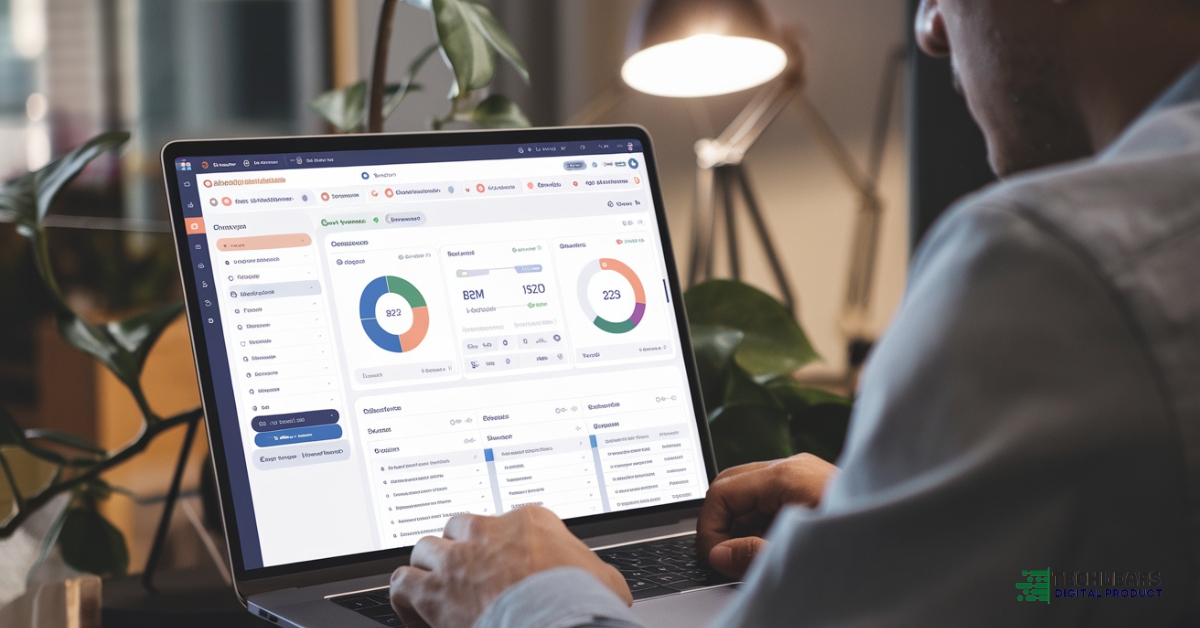
A CRM system collects data through various methods. It gathers customer information to help businesses improve their relationships.
In today’s digital age, customer data is gold. Knowing how a CRM system collects this data is crucial for any business. CRMs use methods like form submissions, social media interactions, and purchase histories. They also track website visits and email responses.
This collection process helps companies understand their customers better. It leads to more personalized marketing and improved customer service. With the right data, businesses can make informed decisions. This introduction will guide you through the data collection methods used by CRM systems. Understanding these methods can enhance your business strategies. Stay tuned to learn more!
Crm System Basics
Customer Relationship Management (CRM) systems are essential tools for businesses. They help manage interactions with customers. CRM systems collect data to improve customer relations and sales. This blog explores the basics of CRM and its key features.
What Is A Crm?
A Customer Relationship Management (CRM) system is software. It helps businesses manage their customer interactions. The system stores data about customers. This includes contact information, purchase history, and preferences.
CRM systems are used to improve customer service. They help in tracking customer interactions. This leads to better customer satisfaction. Businesses use CRM to understand their customers better. This knowledge helps in making informed decisions.
- Contact Management: Stores customer information.
- Sales Management: Tracks sales and opportunities.
- Customer Support: Manages service requests.
CRM systems can be cloud-based or on-premise. Cloud-based CRMs are accessible from anywhere. On-premise CRMs are hosted on company servers. Both types have their pros and cons.
Key Features Of Crm
CRM systems come with various features. These features help businesses manage their customer interactions efficiently. Contact management is a primary feature. It stores customer information in a central database. This helps in easy access and management.
Sales management is another key feature. It helps track sales activities. This includes tracking leads and opportunities. It also helps in forecasting sales and setting targets. Customer support features help manage service requests. This ensures timely resolution of customer issues.
| Feature | Description |
|---|---|
| Contact Management | Stores and organizes customer information |
| Sales Management | Tracks sales activities and opportunities |
| Customer Support | Manages customer service requests |
Automation is a significant feature of CRM systems. It helps automate repetitive tasks. This includes sending follow-up emails and updating records. Automation saves time and reduces errors.
Analytics is another important feature. CRM systems provide insights into customer data. This helps in making better business decisions. Analytics features include reporting and data visualization. These tools help in understanding trends and patterns.
Data Sources
Customer Relationship Management (CRM) systems are essential tools for businesses. They help manage and analyze customer interactions. Data collection is a key aspect of CRM systems. Understanding where this data comes from is crucial. There are two primary sources: internal and external. This blog post explores these data sources in detail.
Internal Data
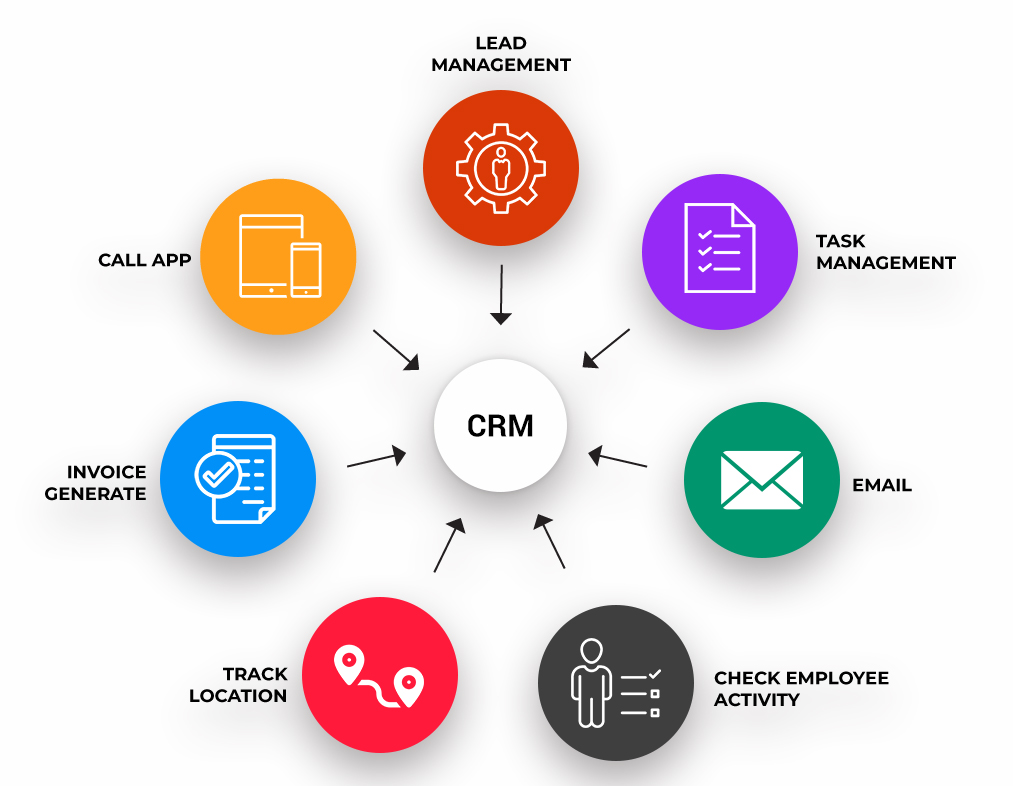
Internal data refers to information generated within the organization. This includes data from various departments and processes. Internal data sources provide valuable insights into customer behavior. These insights help in Lead Management and improving services.
Key internal data sources include:
- Sales records
- Customer service interactions
- Marketing campaigns
- Website analytics
- Product usage data
Sales records help track the Sales Pipeline and measure performance. Customer service interactions reveal common issues and customer satisfaction levels. Marketing campaigns data shows which strategies are effective. Website analytics provide data on User Engagement Tracking. Product usage data helps understand how customers use products.
All these data points are integrated into the CRM system. This process is known as Data Integration. It helps create a comprehensive view of customers. This Crm Data Collection method is essential for generating Customer Insights. Internal data is reliable and specific to the business. It forms the backbone of any effective CRM system.
External Data
External data sources provide information from outside the organization. These sources add context to internal data. They offer a broader perspective on customer behavior and market trends. This data is vital for competitive analysis and market research.
Key external data sources include:
- Social media platforms
- Public databases
- Third-party data providers
- Industry reports
- Customer reviews and feedback
Social media platforms are rich in customer opinions and trends. Public databases offer demographic and economic data. Third-party data providers supply targeted customer information. Industry reports provide insights into market conditions. Customer reviews and feedback are direct sources of customer sentiment.
Integrating external data with internal data enhances the CRM system. This approach enriches Customer Relationship Management strategies. It helps businesses stay competitive and responsive to market changes. External data adds depth to Data Analytics. It ensures a well-rounded view of the customer landscape.
Data Entry Methods
Customer Relationship Management (CRM) systems are essential for businesses. They help manage interactions with customers. Data collection is a big part of CRM systems. Understanding how they collect data is important. This blog post discusses two main methods: manual input and automated capture.
Manual Input
Manual input involves entering data by hand. This method is used for detailed information. It is useful when data is unique or specific. Here are some ways manual input is done:
- Forms: Filling out customer forms.
- Surveys: Collecting feedback through surveys.
- Notes: Writing notes after phone calls or meetings.
Manual input allows for more control over the data. It ensures that the information is accurate. But it can be time-consuming. Employees need to spend time entering data. Mistakes can happen if the data is not entered carefully. Despite its drawbacks, manual input remains a reliable method for collecting data.
Automated Capture
Automated capture uses technology to collect data. It saves time and reduces errors. Here are some examples of automated capture:
- Website Tracking: Collecting data from website visits.
- Email Integration: Capturing information from email exchanges.
- Social Media: Gathering data from social media interactions.
Automated capture is efficient. It can handle large amounts of data quickly. This method also ensures that data is updated regularly. There is less risk of human error. Automation makes it easier to get real-time insights. Businesses can make better decisions faster. Overall, automated capture is a valuable tool for CRM systems.

Credit: www.culturehive.co.uk
Integration With Other Tools
Customer Relationship Management (CRM) systems are essential for businesses to manage their interactions with customers. These systems gather and analyze customer data to improve business relationships and drive sales growth. One of the key ways CRMs collect data is through integration with other tools. This allows for seamless data flow and better customer insights.
Email Integration
Email integration is one of the most effective ways to collect customer data using a CRM system. By connecting your email platform with your CRM, you can automatically track and record email interactions with customers. This integration helps in capturing important data points such as email open rates, click-through rates, and response times.
Here are some benefits of email integration in CRM systems:
- Automated tracking of email communications.
- Better understanding of customer preferences.
- Improved customer segmentation and targeting.
Email integration also allows for personalized email campaigns. By analyzing the data collected, businesses can send targeted emails that are more likely to engage customers. This leads to higher conversion rates and improved customer satisfaction.
Another advantage is the ability to sync contact information. When a new contact is added to your email platform, it is automatically updated in your CRM. This ensures that your customer database is always up-to-date and accurate.
Social Media Integration
Social media integration is another powerful method for collecting customer data. By connecting your social media accounts with your CRM, you can gather valuable insights into customer behavior and preferences. Social media platforms such as Facebook, Twitter, and LinkedIn provide a wealth of information that can be used to enhance your CRM data.
Benefits of social media integration include:
- Tracking customer interactions on social media.
- Identifying customer sentiment and feedback.
- Enhancing customer profiles with social data.
Social media integration helps businesses monitor brand mentions and respond to customer inquiries in real-time. This improves customer service and builds stronger relationships. Additionally, businesses can use social media data to segment their audience based on interests, demographics, and behavior.
By combining social media data with other CRM data, businesses can create a more comprehensive view of their customers. This enables more effective marketing strategies and better decision-making.
Data Collection Techniques
Customer Relationship Management (CRM) systems are essential for businesses to understand their customers. One of the most important functions of a CRM system is data collection. It helps in capturing valuable customer insights, which are crucial for improving services and products. Various data collection techniques are employed by CRM systems to gather and analyze this information.
Surveys And Forms
Surveys and forms are popular data collection methods. They help in gathering customer feedback directly. This information is vital for businesses to understand customer needs and preferences.
Surveys can be conducted through emails, websites, or social media platforms. They usually consist of multiple-choice questions, rating scales, and open-ended questions. Forms are used during sign-ups or purchases to capture user data.
- Customer Feedback: Helps in understanding customer satisfaction.
- Lead Generation: Collects information about potential customers.
- Interaction Tracking: Monitors customer interactions with the business.
Surveys and forms can be integrated with CRM systems to automatically store and analyze data. This makes it easier to manage and retrieve information when needed.
| Technique | Purpose |
|---|---|
| Surveys | Gather customer feedback and satisfaction levels. |
| Forms | Collect user data during sign-ups and purchases. |
Web Tracking
Web tracking involves monitoring user activities on websites. This method helps in understanding user behavior and preferences. It is a crucial part of CRM data collection.
Web Analytics tools are used for tracking user interactions on websites. These tools collect data such as page views, clicks, and time spent on pages. This data provides insights into user interests and engagement levels.
- User Data Capture: Records information about user activities.
- Interaction Tracking: Monitors how users interact with web content.
- Customer Insights: Helps in understanding user preferences.
Web tracking data is stored in the CRM system for further analysis. This data can be used to improve website design and content. It also helps in personalizing user experiences.
| Tool | Purpose |
|---|---|
| Web Analytics | Track user interactions and activities. |
| Data Analysis Tools | Analyze collected data for customer insights. |
Data Storage
Customer Relationship Management (CRM) systems help businesses collect and manage customer data. This data storage is vital for understanding customer needs and improving services. CRM systems use different methods to store this data. Two common methods are cloud storage and on-premise solutions.
Cloud Storage
Cloud storage stores data on remote servers accessed via the internet. This method offers several benefits:
- Flexibility: Access data from anywhere with an internet connection.
- Scalability: Easily increase storage capacity as needed.
- Cost-Effective: Reduce costs associated with physical storage.
Cloud storage is also secure. Service providers use encryption and regular security updates to protect data. Businesses don’t need to worry about maintaining physical servers. This allows them to focus on core activities.
Here is a comparison of some popular cloud storage providers:
| Provider | Storage Capacity | Cost |
|---|---|---|
| Google Drive | 15 GB Free | $1.99/month for 100 GB |
| Dropbox | 2 GB Free | $9.99/month for 2 TB |
| OneDrive | 5 GB Free | $1.99/month for 100 GB |
On-premise Solutions
On-premise solutions store data on local servers within the business premises. This method offers complete control over data and security. Businesses can customize the infrastructure to meet specific needs. However, this requires a significant investment in hardware and maintenance.
Some key benefits of on-premise solutions include:
- Data Control: Full control over data storage and access.
- Customization: Tailor the system to specific business requirements.
- Security: Higher security for sensitive data.
On-premise solutions are suitable for businesses with strict data regulations. They ensure data does not leave the premises. This is important for industries like healthcare and finance. Here is a comparison of common on-premise CRM software:
| Software | Features | Cost |
|---|---|---|
| Microsoft Dynamics | Customizable, Integration with other MS tools | Starts at $95/user/month |
| Salesforce | Comprehensive CRM features, AI integration | Starts at $150/user/month |
| SAP CRM | Advanced analytics, Scalable | Varies based on customization |
Data Privacy And Security
CRM systems help businesses manage customer interactions. These systems collect and store data. This data can include customer preferences, purchase history, and contact details. It’s vital to understand how this data is collected and kept secure. Data privacy and security are top priorities. They ensure that customer information is protected from unauthorized access.
Compliance Regulations
Various laws protect customer data. CRM systems must follow these laws. This ensures data is collected ethically and legally. Compliance with regulations like GDPR, CCPA, and HIPAA is essential. These laws set strict standards for data privacy.
Key compliance regulations include:
- GDPR: General Data Protection Regulation in Europe
- CCPA: California Consumer Privacy Act in the USA
- HIPAA: Health Insurance Portability and Accountability Act in the USA
Each regulation has its own rules:
| Regulation | Key Requirements |
|---|---|
| GDPR | Consent for data collection, right to access data, right to be forgotten |
| CCPA | Right to know, right to delete, right to opt-out of sale |
| HIPAA | Protects patient health information, requires security measures |
Businesses must stay updated with changes in these regulations. Failing to comply can result in heavy fines and damage to reputation.
Data Protection Measures
Protecting customer data is crucial. CRM systems use various methods to ensure data security. These measures help prevent unauthorized access and data breaches.
Key data protection measures include:
- Encryption: Converts data into a secure code
- Access Controls: Limits who can view or edit data
- Regular Audits: Checks for vulnerabilities and compliance
- Data Backups: Creates copies of data to prevent loss
Encryption is one of the most effective methods. It ensures that even if data is intercepted, it cannot be read without the encryption key. Access controls are also vital. They ensure that only authorized personnel can access certain data.
Regular audits help identify and fix security gaps. Data backups ensure that data is not lost in case of system failure or attack. Implementing these measures helps maintain trust and protects both the business and its customers.
Credit: decode.agency
Analyzing Collected Data
Customer Relationship Management (CRM) systems are essential for businesses. They help in collecting valuable data about customers. This data aids in understanding customer needs and improving services. Analyzing collected data is crucial. It enhances decision-making and boosts customer satisfaction.
Reporting Tools
Reporting tools in a CRM system play a vital role. They transform raw data into useful insights. These tools offer a variety of features. Here are some key aspects:
- Automated Reporting: Saves time by generating reports automatically.
- Data Integration: Combines data from various sources for a comprehensive view.
- Crm Analytics: Provides detailed analysis of customer interactions.
Reporting tools also support Sales Tracking and Lead Management. They help in monitoring sales performance and managing leads efficiently. Here’s a table showing some popular reporting tools:
| Tool | Features |
|---|---|
| Business Intelligence Tools | Advanced data analysis and visualization |
| Customer Data Platform | Centralized customer data management |
Data Visualization
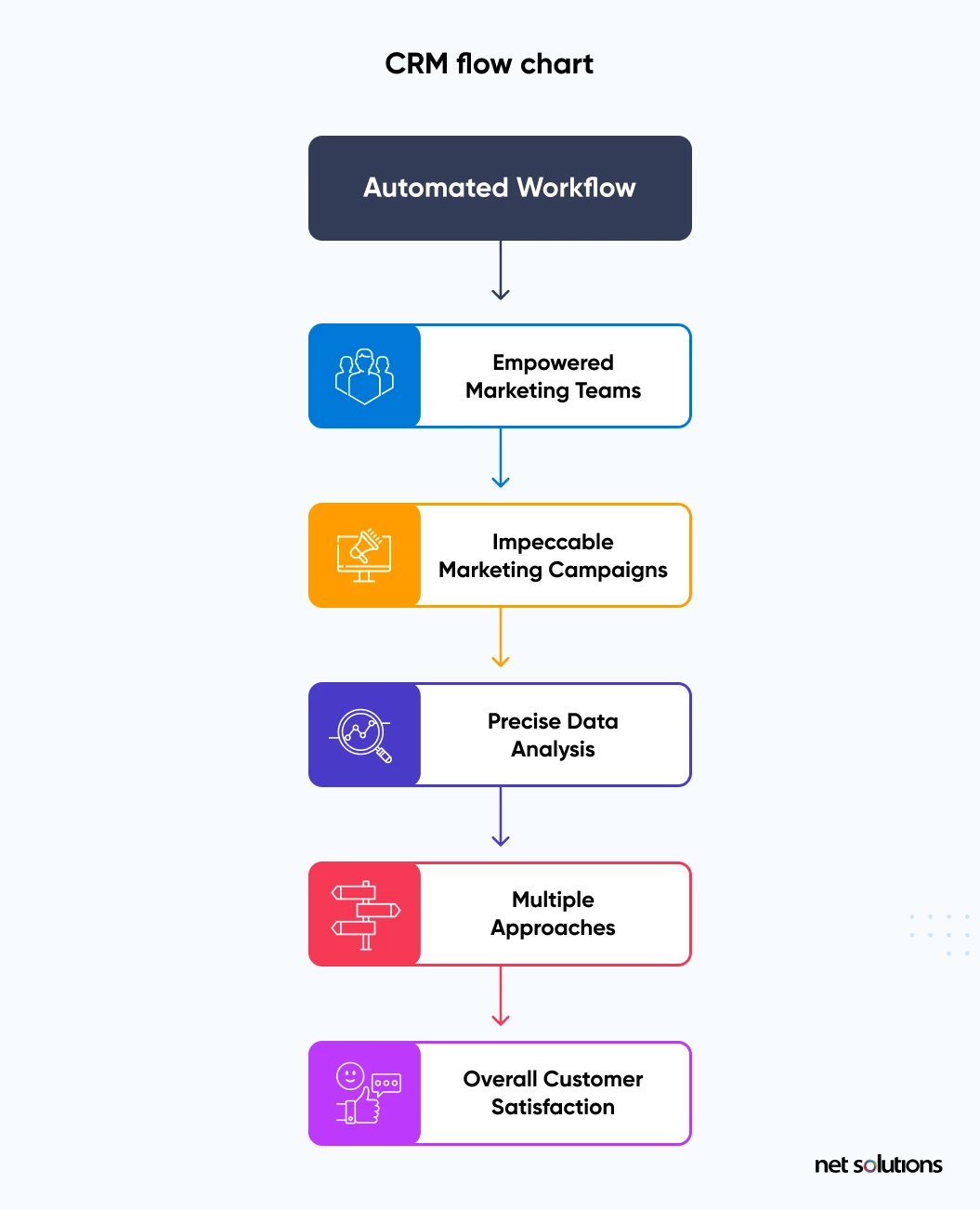
Data visualization is another key component. It helps in presenting data in an understandable format. Visual tools convert complex data into charts and graphs. This makes it easier to grasp insights quickly.
Effective data visualization tools offer several benefits:
- User Engagement Metrics: Tracks how customers interact with your business.
- Data Collection Methods: Visualizes data collected from various methods.
Good data visualization improves decision-making. It allows businesses to spot trends and patterns easily. Here are some common types of visualizations used in CRM systems:
| Type | Purpose |
|---|---|
| Bar Charts | Comparing different categories |
| Line Graphs | Showing trends over time |
| Pie Charts | Displaying proportions |
Credit: www.netsolutions.com
Frequently Asked Questions
How Does A Crm System Gather Data?
A CRM system gathers data through customer interactions, website forms, social media, email campaigns, and purchase history. It consolidates this data into a centralized database for analysis.
What Types Of Data Do Crm Systems Collect?
CRM systems collect contact information, purchase history, customer preferences, interaction details, and feedback. This helps in creating personalized marketing strategies and improving customer service.
How Do Crm Systems Use Social Media Data?
CRM systems use social media data to monitor customer sentiment, track engagement, and identify potential leads. This data helps businesses understand customer behavior and preferences.
How Secure Is Data In Crm Systems?
Data in CRM systems is highly secure with encryption, user authentication, and regular security updates. This ensures customer information is protected from unauthorized access.
Conclusion
A CRM system collects data from multiple sources. It tracks customer interactions. These include emails, calls, and social media messages. The system also gathers data from website visits and online forms. This information helps businesses understand customer behavior. They can then improve their services and products.
Using a CRM system, companies can build better customer relationships. It leads to higher satisfaction and loyalty. So, investing in a CRM system benefits your business. It provides valuable insights and helps you grow.
Read more: 5 Best CRM Software in 2025
